


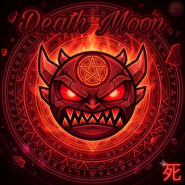
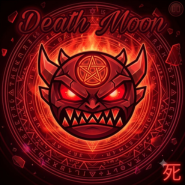
Geometry Dash Death Moon


 Hot
Hot Popular
Geometry Dash Death Moon – The Legendary 1.9 Easy Demon Guide
Death Moon is universally regarded as one of the most iconic, influential, and visually striking levels in Geometry Dash history. Created by the legendary builder FunnyGame during Update 1.9, this atmospheric masterpiece sets the gold standard for visual storytelling, rhythm synchronization, and endurance gameplay in the Geometry Dash Demons category.
Level Specifications
| Attribute | Details |
|---|---|
| Level Name | Death Moon |
| Creator | FunnyGame |
| Difficulty | Easy Demon (10 Stars ⭐) |
| Length | Extra Long (XL – ~2 minutes 38 seconds) |
| Game Version | Update 1.9 Classic |
| Soundtrack | "Death Moon" by SHK |
| Collectibles | 3 Secret User Coins |
How to Play Geometry Dash Death Moon
Death Moon is an endurance test combining fast transitions, flashing apocalyptic visuals, and tight vehicle sections. Here is a step-by-step breakdown on how to navigate and complete the level:
1. Controls & Inputs
- PC / Web: Use
Spacebar,Up Arrow, orLeft Clickto jump, fly, and trigger jump pads/orbs. - Touchscreen / Mobile: Tap anywhere to jump, or hold down for sustained flight and wave manipulation.
2. Stage Navigation Breakdown
- Intro Cube & Ship (0% – 25%): Starts with rhythmic cube hops synchronized to the ominous piano intro, followed by open-space ship flying through apocalyptic scenery. Focus on memorizing early fake paths and gravity switches.
- Fast-Paced Wave Drop (26% – 50%): As the drop kicks in, speed increases to 2x/3x. Make short, controlled taps to weave between flashing sawblades and narrow structural gaps.
- Dual Section & Mini Modes (51% – 75%): Maintain symmetrical focus. Keep an eye primarily on the bottom icon to ensure safe landing on key platforms while letting muscle memory handle the top icon.
- Final Climax & Endurance Run (76% – 100%): The closing sequence features high-speed cube jumps and tight UFO/Ship corridors. Stay calm under the visual pressure of pulsing lights and flashing backgrounds.
3. Key Tips to Beat Death Moon
- Extensive Practice Mode: Place checkpoints right before the main wave transitions and the dual segment to build strong muscle memory.
- Rely on Music Cues: FunnyGame designed the obstacles tightly around the beat drops of SHK's track; syncing your clicks with the synth rhythm reduces mistimed inputs.
- Maintain Calm Sight-Reading: The flashing lights and dark red themes are meant to distract—focus your eyes directly ahead of your icon's trajectory.
Explore More Geometry Dash Adventures
Looking for your next challenge after conquering Death Moon? Test your skills across different styles and difficulties:
- Challenge your rhythm mastery across featured daily levels like Geometry Dash Daily Level Dream World.
- Experience smooth modern mechanics and custom soundtracks in Geometry Dash Breeze.
- Discover unconventional platforming mechanics and creative obstacle designs in Geometry Dash Suponho.
Frequently Asked Questions (FAQ)
Q1: Who created Death Moon and when was it released?
A: Death Moon was created by renowned builder FunnyGame during the 1.9 update, quickly becoming one of the most famous community-made Demon levels ever published.
Q2: Why is Death Moon considered an Easy Demon?
A: While the level is over 2.5 minutes long and visually intense, its individual gameplay inputs are consistent, fair, and rhythm-based, making it an ideal entry point for players transitioning into Demon difficulty.
Q3: What song is used in Death Moon?
A: The level features the high-energy, dark electronic track "Death Moon" composed by music producer SHK.
Q4: How many user coins are there in Death Moon?
A: There are 3 secret user coins hidden throughout the level, requiring players to take dangerous alternate paths during specific cube, ship, and wave sections.