


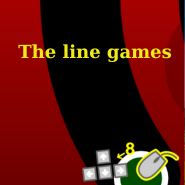
The Line Game


 Hot
Hot Popular
Overview
The Line Game is a tight, minimalist arcade puzzle where you control a moving line (or bar) and must reach the finish area without contacting any walls or foreign objects. It channels the feel of classic Flash-era microgames that punished even the smallest mistake — but with modern polish and responsive controls.
Gameplay & Mechanics
Each stage presents a narrow corridor or obstacle layout. The core rule is simple: move from the start to the finish without touching the surrounding frame or hazards. If the line touches a wall or an electrified frame, the level resets and you must try again.
8 handcrafted stages that increase in difficulty.
Keyboard or mouse — both supported for precise movement.
Minimal graphics with focused gameplay.
Short attempts, high replayability.
Controls
The Line Game supports both keyboard and mouse input for different playstyles:
- Keyboard: Arrow keys or WASD to move the line smoothly through the level.
- Mouse: Click-and-drag to set the line's position (or move the cursor near the line to guide it, depending on the build).
Level Progression & Difficulty
Early levels teach basic movement and collision tolerance. Mid stages introduce narrower gaps and moving hazards. The later stages demand pixel-perfect control and patience. Despite the steep difficulty curve, short retry loops make it satisfying to master each challenge.
Tips & Strategies
- Practice smoothing your inputs — jerky motions make collisions more likely.
- Use small, incremental adjustments rather than large sweeps.
- Watch obstacle patterns and time your movement to moving hazards.
- Restart early attempts quickly — muscle memory is the key.
Why it Feels Like a Flash Classic
The Line Game evokes browser-era microgames where a single mistake meant instant failure. The electrified frame mechanic — where touching the border triggers an immediate reset — is a direct spiritual throwback to old Flash puzzles, but implemented with modern performance and input responsiveness.
Technical Notes (Optional code snippet)
Below is a tiny pseudo-code snippet illustrating how collision might be checked in a simple JavaScript build. This is for reference if you're a developer looking to understand or recreate the mechanic.